
Top Section

- Log in to Joomla! Administrator if you haven't already.
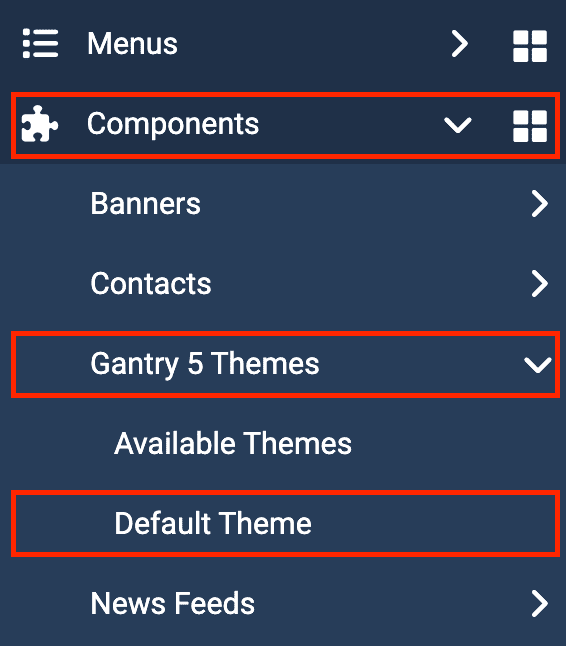
- Access the template admin by navigating to Components -> Gantry 5 Themes -> Default Theme in the left menu.
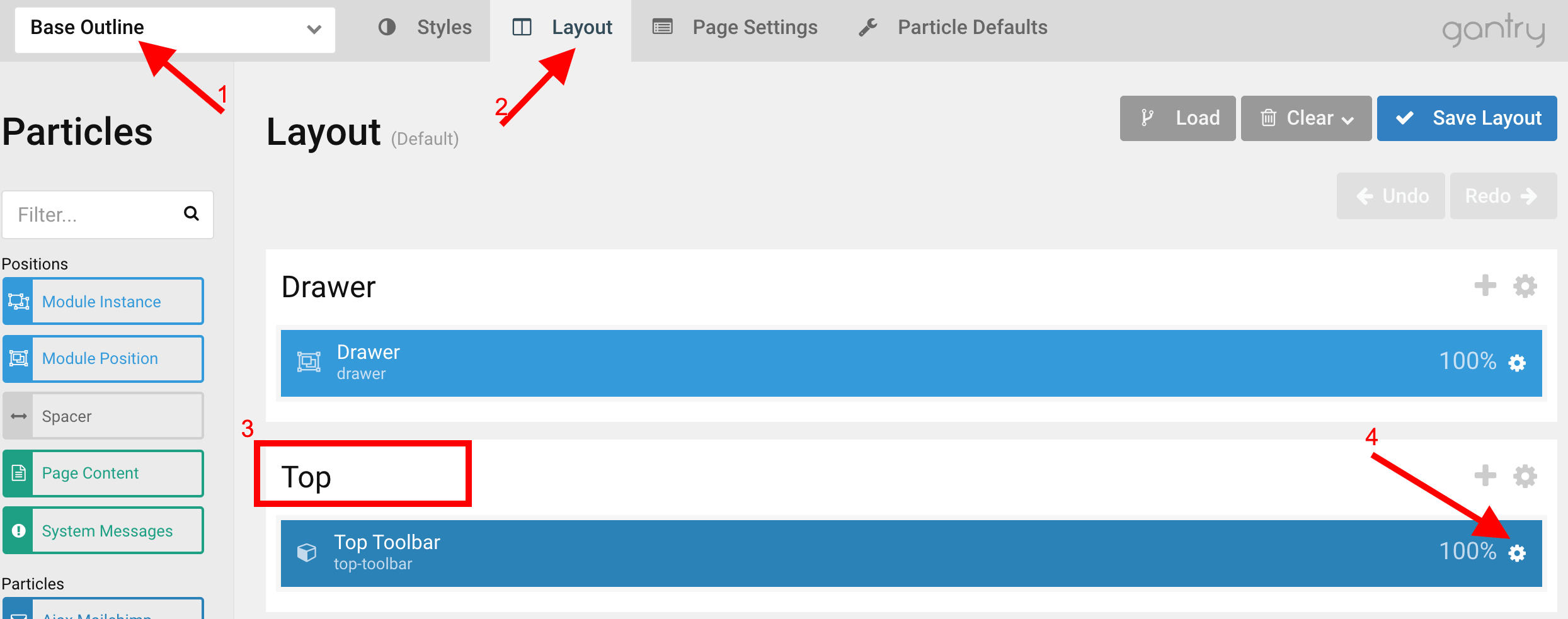
- Click on Layout tab under Base Outline

- Scroll to the Top section and click (config icon) next to the Top Toolbar particle
- Now follow on-screen instructions and setup as you need.